I am trying to figure out the best way to know where you need to drill holes in the motherboard in order to screw it to the brackets to hold it onto the shell. What method do people use to do this? I assume that you connect the brackets to the shell first then drill into the mobo to attach it, but how do you know?
I believe this is a pain in the ass for anyone who has attached there mobo to their shell with L-brackets, probably the hardest attachment you will do to your pack. On my first pack i attached the L-brackets (which were basic pre-drilled hole L-brackets from Home Depot) to the pack first then the mobo second and honestly, drilling the holes was just an eyes view and thats what made it so hard for me, but in the end i got it done, but it was a huge pain.
I suppose if you have L-brackets without pre-drilled holes it will be much easier because you can just drill them into your motherboard first or vice versa, then drill right in without having to judge your holes tediously as i did.
Just measure the space between the holes on the L-brackets, and take into account the thickness of your shell with the measurements, and drill them out on your motherboard.
Measure twice…drill once. :lol: No but seroiusly this can be a major pain in the butt. Instead of using store bought “L” brackets you might want to get some wider aluminum “L” or angle iron (2" wide), position it and mount it to the mobo first, then place your shell on and drill thru the shell into the bracket then tap and bolt. If you lay your mobo out on sheets of paper first then you can mark locations around the perimeter for drilling guides.
Um not fully. It made sense except for how paper will help. That is a good idea making your own brackets. If I could get the aluminum that would be prime but angle iron is ok too I guess. If I were to go to a hardware store, do you think that they would have the aluminum that you speak of?
Lay the paper out on the floor, set the mobo on top of it so there a 2-3" paper perimeter sticking out for marking locations on.Easier than eyeballing it. The other thing you can do is trace out the mobo onto paper or cardboard, subtract the thicness of your shell and cut it so it fits inside your shell, mark your locations then transfer back to your mobo for marking.
I have a Metal supermarkets that I use, not sure if home depot would carry aluminum angle but worth a try. I think I may look into brackets next time I go there and possibly offer them on my website, predrilled and tapped.
I’m glad there is finally a thread about this. As soon as my Exo shell arrives, like the moment it gets to my house, the first thing I’m gonna do before anything else is mount the damn mobo to the shell.
Just to get it out of the way!
Thanks for the advice Colin, I’m sure there’s even more methods out there that people have tried with success, lets see what turns up!
IMO, to play it safe, I would mount the brackets to the shell, then work out where you need to drill the holes for the mother board.
Once you have the brackets mounted to the shell, you could template the side which mounts to the mother board out of paper or card stock, layout (and centerpunch!) the hole centers and BAM! Obviously, if the holes are tapped in the brackets, you’ll save a world of headache in the long run. If you’re worried about hole alignment, drill the holes through the motherboard a 1/16" oversize to allow for play.
When we mounted my welder in the Chev, we marked out the holes and drilled the holes at 3/8." We then used 5/32" high grade bolts. It worked like a hot damn!
I’ve been wondering about how to do this too and have come up with several different ideas.
I wondered if something like clay would work. Mount the brackets to the shell, place some clay in the rough areas where the holes will be and then fit the shell on top. Wherever you see indentations, that’s where to put holes. Of course you might be able to paint the brackets and use the wet paint to mark the motherboard. Another idea is to put some really thin double sided tape on the brackets and then once the motherboard is in place, unscrew the brackets from the shell and carefully lift it off the board and mark the holes.
There are probably way better ideas out there but those are just some crazy things I toyed with in my head. Ultimately I’ll find something that works once I get the shell.
This is exactly how I do it as well. Drilling through the shell into aluminum angle that are already mounted to the mobo. Then I run a tap through the shell and angle and bolt it up. This makes fot a perfect fit and almost no room for error. Almost. I am sure someone will prove me wrong on that part.
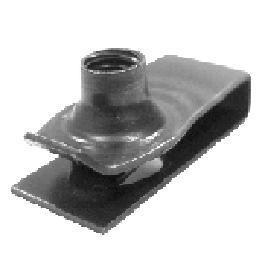
That is a good tip. I have done that same thing in the past when i drilled my holes to large. They look something like this for anyone that doesn’t know.
This photo may help for the locations of the L brackets.
This is what I did;
I taped the brackets on the mobo and drew around them, leaving space for the shell, marking the holes of the bracket then drilled through the mobo. I then placed the shell on it, measuring where the bracket and holes would be then drilled throught the shell. As Colin said, measure twice, drill once!