Bug Busters - Current State of the New Site!

Now that we are two days past the launch of the new site, I wanted to give everyone a quick update on where things stand and what we are still working through.

The good news is that it seems like most of us have gotten past the biggest login and account recovery issues that showed up right away. That was obviously one of the first things we needed to get under control, and while it is much better now, there are still a few users running into trouble. I think part of the confusion came from people assuming they had to go through account recovery before they could log in, when that was not actually the case.

All accounts were transferred over originally, along with whatever login information existed for them. If you know the email address attached to your account, you should be able to go straight to login without going through account recovery first. I am updating the language on the account recovery page now so that it does a better job of explaining those steps.

I also just made a change that allows for passwordless login. That means you do not even need to know your password anymore. As long as you know the email address on your account, you can enter it when you log in and the site will send you a login code by email. That code will let you into your account.

I am still seeing some cases where users either accidentally created a new account or found that their existing account was not accessible the way they expected. We are continuing to sort through those as they come up, and I am also looking into a few reports from users who are having trouble establishing their supporting membership.

The shop is another area where we are still chasing down some bugs. A lot of users have been able to place orders successfully, but a few people have reported issues that seem to be connected to whether they are logged in or not logged in. Some items are also showing as out of stock when they should not be, so that is another thing we are actively working on.

On the backend of the shop, we are also having to clean up old lingering data from the previous site. Some older orders were shipped, but were never marked as completed, and those are causing the new site to calculate shipping dates as being wildly far into the future. I have a fix in progress for that now, but there are also a few modifications that need to be made on the order fulfillment side before we can start resuming shipping today.

Unfortunately, that part is probably going to be a slow going process at first. I am confident, though, that by Monday after the holiday weekend, we should be back up and running at normal capacity.

There are also still some display issues being worked through across the user feed, profile feed, and profile wall. Those areas are mostly functioning, but some content is not being displayed quite the way it should be. Users who have uploaded props or fan art may have noticed that the site is creating a new post for every single image uploaded in some cases, which is obviously not how that is supposed to work.

Franchises are also being fixed so that users can claim their franchises again and get those properly set up.

So that is where things stand right now. The site is up, the biggest launch issues are improving, and we are continuing to knock out the smaller bugs as they appear. Stick with us as more and more parts are slowly coming online and being fixed.
2 Likes

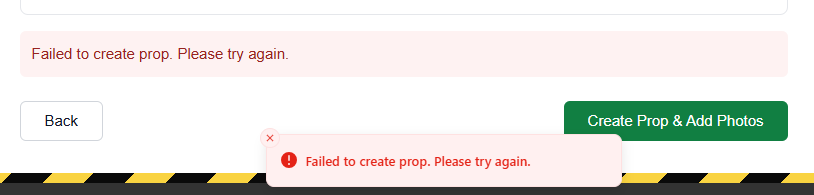
Unable to create a new “prop”. This was an attempt to make an Ecto.

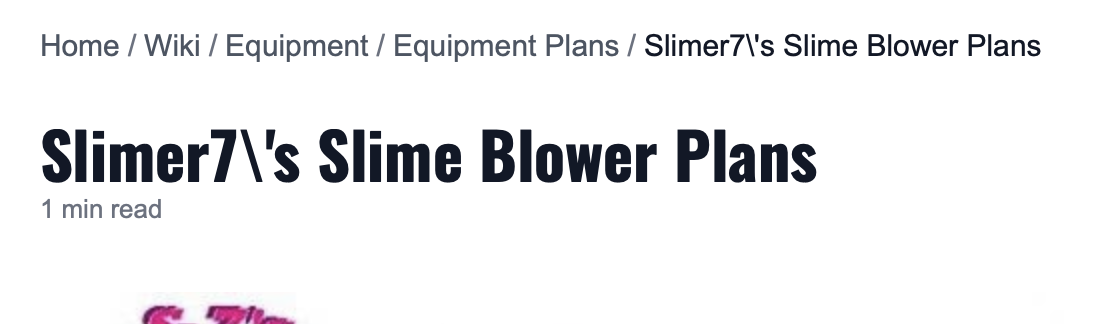
Backslashes appearing when special characters are used in articles and posts. For example:

Unfortunately a visual thing that has been on the site for years. :sweat_smile:

I’ll take a look at the log for the prop creation error.

Confirmed bug. Working on it.

1 Like

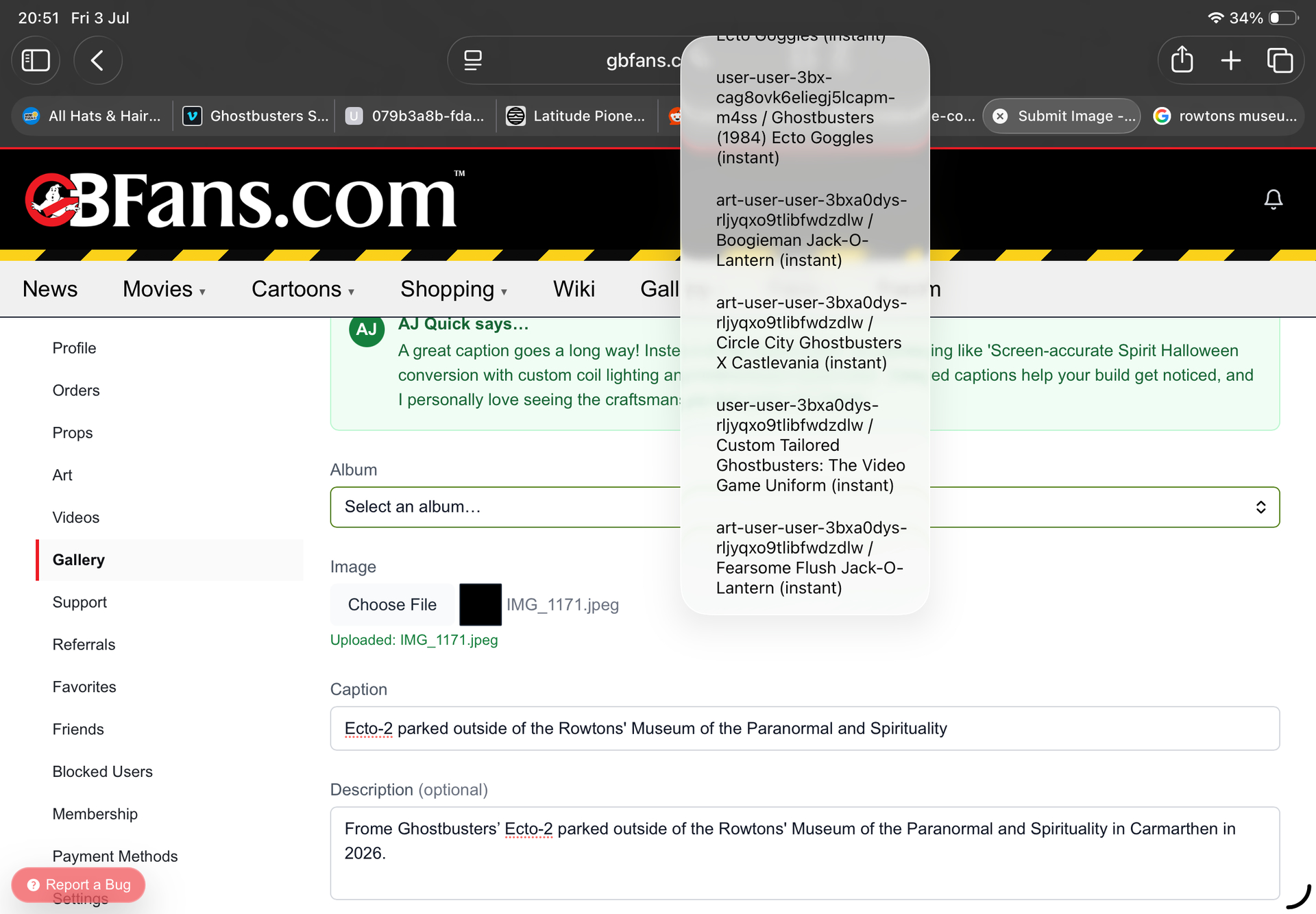
Tried to upload an image on my “fan” section and the albums choices are all weird. On iPad.

Technically you’re not supposed to have access to the Gallery like that, which is why it is causing problems.

You can upload to the art and props sections right now though through these links:

https://www.gbfans.com/dashboard/props/
https://www.gbfans.com/dashboard/art/

Many bug fixes are coming, I have completely changed how the Account Recovery process works. We should be past a lot of the problems users were having. Once you go through account recovery, it will be clearer that you must login with your email. It will tell you the email if you do not know what it is. If your email has changed, it gives you the ability to change it, one time. You will login with your email all times after that.

Bug fixes with the Supporting Membership system and Shop are coming.

Current known problems with fixes on the way:

  • No ability to sign up for anything but a free supporting membership trial.
  • Unable to purchase any backordered or pre-order items.

Is it helpful to post these sorts of bugs found?. Or is there some sort of jira things can be ticketed etc.

You can post here if you want, but every page (excepting the forum) should have a Bug Report button in the lower left corner of the page.

image

  1. I think the reason why so many people were hitting the account recovery option by mistake was that when they hit sign in, that option showed up first then there was a lag time when the actual sign up to type in the email and password (now email) appeared. It’s not as long a wait but account recovery still shows up first then the actual sign in a few seconds later.
  2. 3/5 times when I click on my avatar in the upper right corner to get the drop down menu to appear, instead I’m taken to about halfway down the current page I’m on. Seems to be ok tonight though. (And yes, I tried connecting a different mouse to trouble shoot if my mouse pad was acting up and it happened with the mouse).
  3. Was able to upload my avatar on GBFans, but on the forums still a no-go.

Yeah, that’s one of the main reasons I changed it. I also put more stops in now. It is like a wizard. It tells you how to sign in now and only advances you to a recovery stage if you no longer have access to your old email. I also didn’t like how it showed up before the actual login form, but that is unfortunately how it works with the third party login system.

On the avatar click menu thing, is that on the site or forum?

And I have no idea about the forum avatar. It doesn’t work for me either. I have basically one last thing to try.

Supporting Memberships are still not synced to the forum groups either. I know I have a few more things to do on the forum for sure.

The avatar click thing was on the forum only. But I’m not getting the bug tonight.

Pretty odd thing with the avatar. So the people, including yourself, uploaded your avatars on the forum right away on day 1 when the rebuilt forum was launched then it seems like hours later by the time I came online, whatever this bug manifested itself? Do you remember when you uploaded your avatar to the forum?

edit: Okay, I think I got more info on the avatar click thing. It happened just after I replied to Kingpin in the Night Shift thread. I noticed the cyclotron loading image is at the top of the forum and posts are appearing one by one even though my browser tab shows the page is fully loaded. So if I’m clicking on my avatar as this loading image is present, I’m taken to the middle of the page. So say I click on the forums.gb.fans link and am taken to the forum main page - it’s fine, no avatar click thing.

Working on hopefully fixing the avatar bug.

Currently a lot of images will appear broken until fixed.

Forum has been down off and on for the last few hours. If you are having any problems, clear your cache. Many of the files are now cached through a CDN that will allow for really fast loading now.

Unfortunately it seems the changes did not fix the avatar upload.

Actually I’m starting to see movement on the avatar upload! It actually shows the upload you add, but saving is currently not working.

I also pushed a fix for full screen chat and got that working.

For those that are not aware, we do have a chatroom!

1 Like

And got it.

Several issues compounding. After fixing the upload issues, I had to turn off a setting that forced your avatar to be the site profile photo. Now it will work something like this:

If you have no avatar, it will use your profile photo from the site.

If you already have a custom avatar set on the forum, it will not force you to have your profile photo from the site be your avatar.

You are allowed to have them be different now.

1 Like

Woo hoo! Avatar upload worked for me. :smiling_face_with_sunglasses:

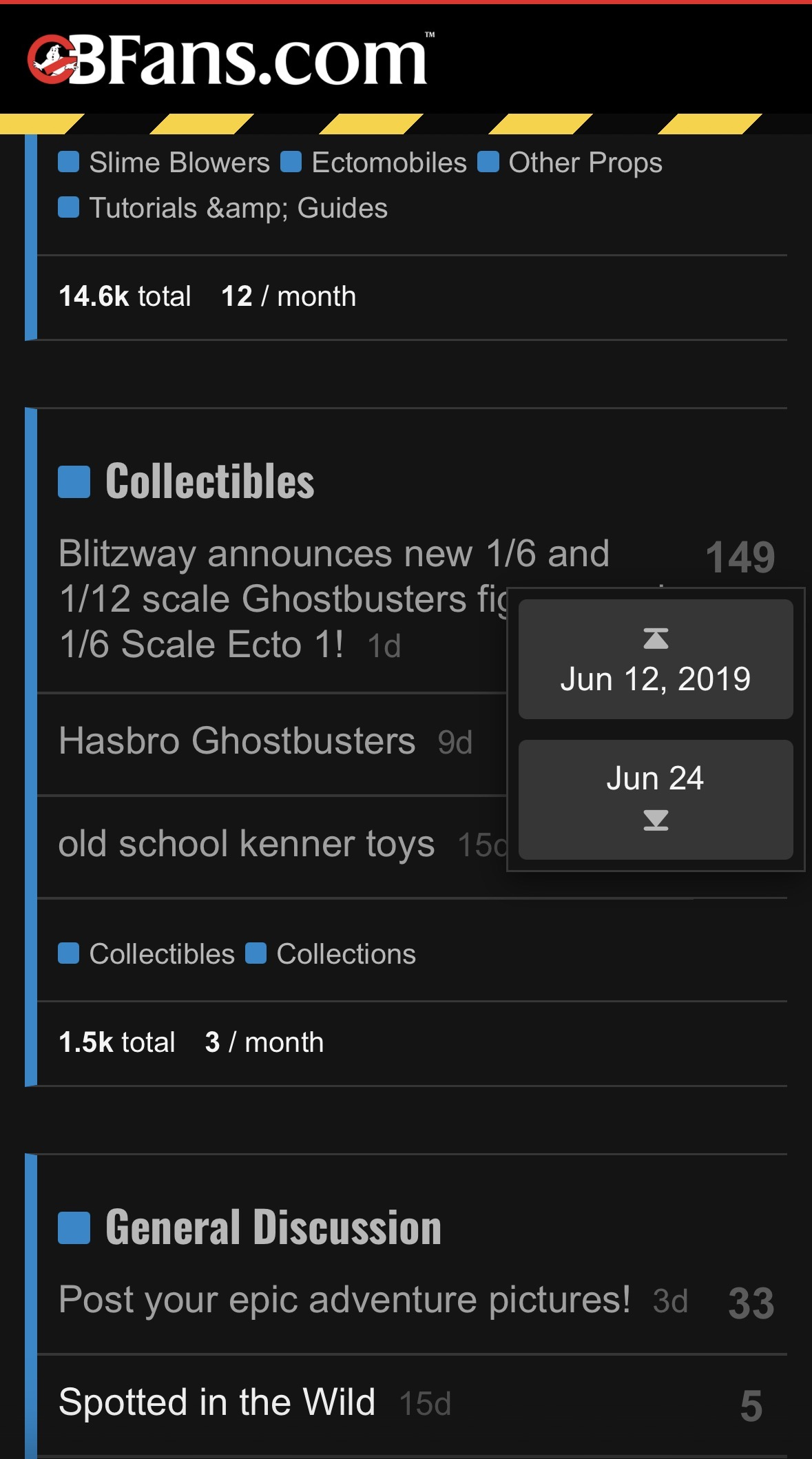
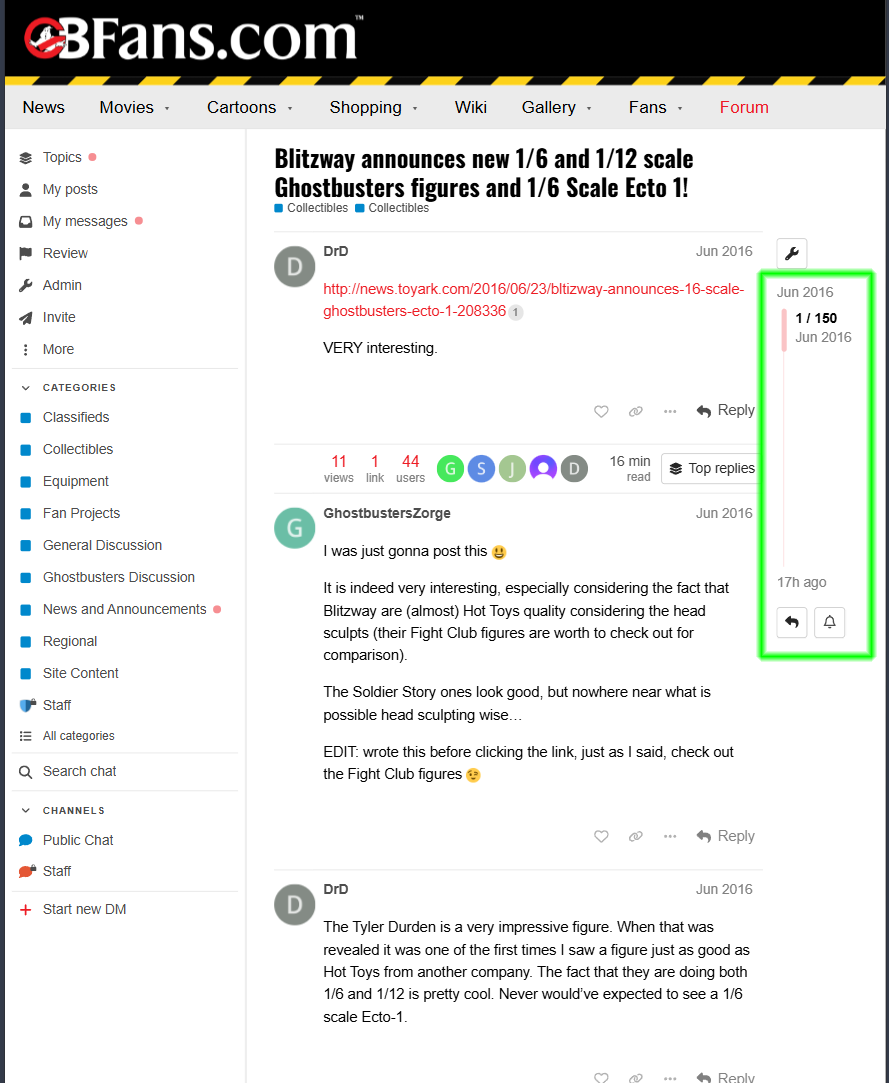
Could be a user issue but on mobile, is there a way to navigate to the last page/post in a thread? It doesn’t seem to display page numbers at the top, only after the latest post / so you have to scroll through the entire thread, which isn’t doable for older, longer threads.

On the list of topics, if you click on the time of the last post (the column marked “Activity”) it will take you to the very last post made. That’s helped me anyway (yeah, if there’s some way to get to the first unread post as in the PhpBB3 software, I haven’t blundered into it yet)

1 Like

It is my understanding that once you have read a topic, it knows where you last left off and starts you from there.

I am told there is a way to click and select where you want to go:

If you click the number of posts on some mobile devices, it will give you the option to start at the beginning or toward the end.

On some devices like tablets you may have the scroll bar visible, just click at the end of that.

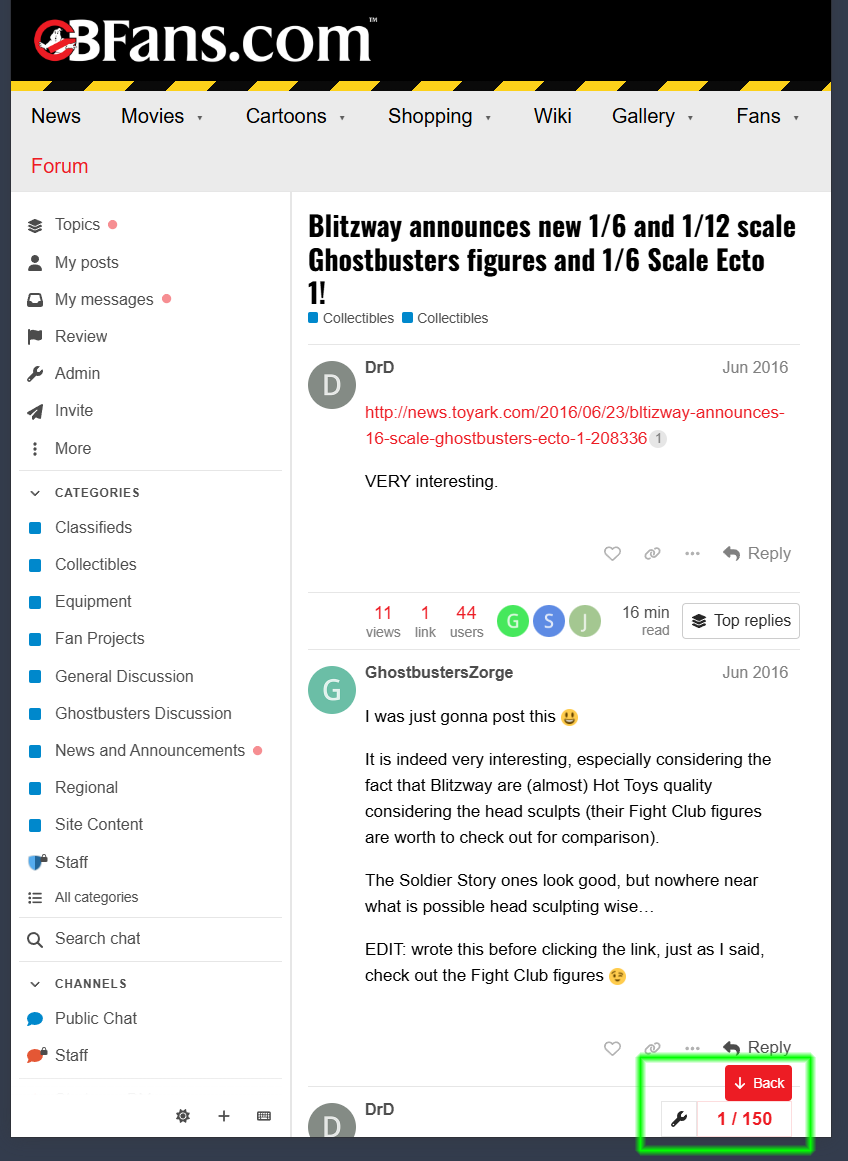
And on others, you may have this box at the bottom of the screen that lists what post you are at. If you click that, it will also open the box that gives you the scrollbar.

1 Like