I wanted to share some pics of my first proton pack build, but I’m confused as to how I go about uploading the photos. I see the Img button when I go to post a new topic, but I’m unsure as to the steps I take after I press this button. I have the images saved to my computer, and want to share them in a new topic thread
You need to find the direct link to the image you want. You can do this by going to sites like Photobucket, imgur, tinypic or right clicking a facebook photo and clicking “open image in new tab” or properties and there’s a url that will end in .jpg (depends on which browser you’re using). That URL is what goes inbetween the IMG tags.
Here’s how imgur works as an example:

You can click the IMG button here on the forums and put in the top link, or they have a forum code in the second circle that you can just copy and paste into the post!
Thanks man. I posted all the pics from my Facebook page using the img option, but they only show up as a box and you have to right click to open them. Should I have used the url option instead?
Uh, probably. I’m not sure what you mean by showing up as a box.
But here’s a picture that might help your Facebook troubles.
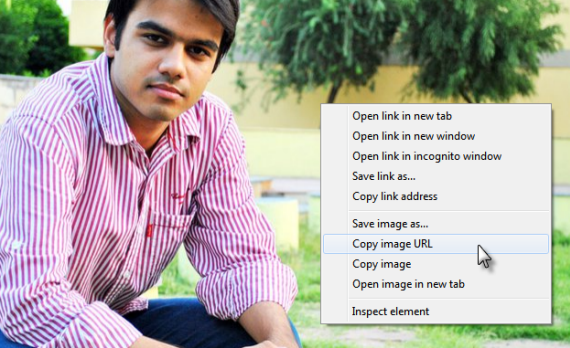
You right click, click that, and then you paste the url you copied into the two IMG tags and it should work!
I actually ended up signing up for Photobucket and uploaded them. But I do appreciate the help. Thanks man
No problem!