Heeeeeeeeeey, that’s my line!
https://www.youtube.com/watch?v=XHv4keZVzcA
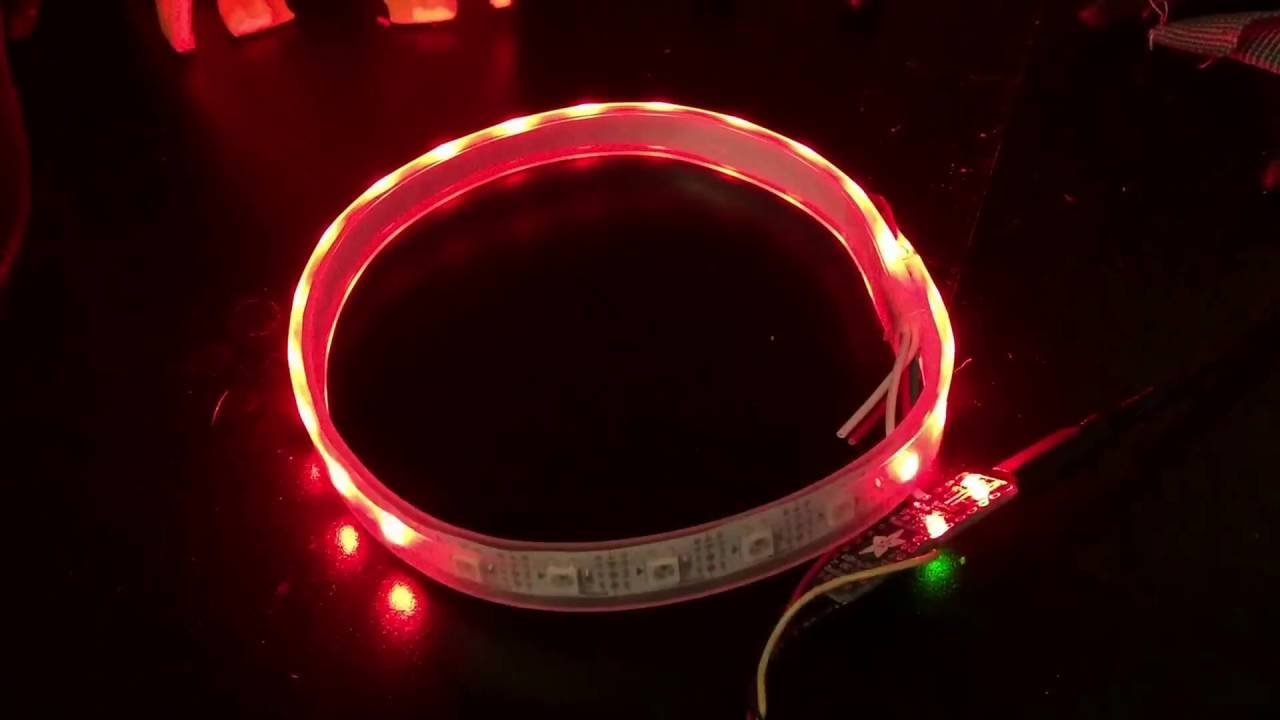
a video of the startup as requested.
thank you !
OOOHHHHH MightyAni GOOODDD of Codes hear my pray !
I wanted to know if it’s possible to make this effect on an adafruit neopixel 60
the code is this one:
/*
Reboot Ghostbusters Proton Pack (lights only)
NeoPixel Driver for Trinket Pro
Authors: Dustin Westaby, Danielle Gormley
Date: August 31, 2016
Use a 24 LED neopixel ring, or loop a strip.
Animation is to match the Proton Pack from 2016 movie
Use potentiometer for a color selection knob.
*/
#include <Adafruit_NeoPixel.h>
//neopixel strip config
#define NEO_PIN 6
#define NUM_LEDS 24
//color selection knob config
#define POT_PIN A0
#define ENABLE_COLOR_KNOB 1 //Set to 0 if you do not plan to use a potentiometer for color selection
#define USER_COLOR 0xff0000 //default color, red
//animation options (larger speed = slower)
#define SLOW_SWEEP_SPEED 100
#define SPIN_UP_SPEED 50
#define MIN_SPIN_UP_SPINS 5 //will spin random number of times, at least this many
#define MAX_SPIN_UP_SPINS 15 //will spin random number of times, up to this many
#define FADE_SPEED 20
#define FADE_DURATION_CHANCE 5 //good chance of escaping loop
#define MOVIE_SPIN_SPEED 50
#define MOVIE_SPIN_PERCENTAGE 0.74 //this is the percentage of the ring that is ON during the chase animation
#define MOVIE_SPIN_DURATION_CHANCE 30 //small chance that startup animation will repeat
//initialization
Adafruit_NeoPixel strip = Adafruit_NeoPixel(NUM_LEDS, NEO_PIN, NEO_GRB + NEO_KHZ800);
uint32_t colorselected = USER_COLOR;
void setup()
{
// This is for Trinket 5V 16MHz, you can remove these three lines if you are not using a Trinket
#if defined (AVR_ATtiny85)
if (F_CPU == 16000000) clock_prescale_set(clock_div_1);
#endif
// End of trinket special code

strip.begin();

strip.show(); // Initialize all pixels to 'off'

randomSeed(analogRead(A1)); //read unused pin

//get user selected color color on startup

update_color_and_delay(0);
}
//animation loop
void loop()
{
//slow sweep

colorWipe(SLOW_SWEEP_SPEED);

//spin up, faster and faster

RunningLights(random(MIN_SPIN_UP_SPINS, MAX_SPIN_UP_SPINS), SPIN_UP_SPEED);

//fade for a while

while(random(0, FADE_DURATION_CHANCE))

{

	FadeOut(FADE_SPEED);

	FadeIn(FADE_SPEED / 4);

}

FadeOut(FADE_SPEED);

//classic movie spin

while(random(0, MOVIE_SPIN_DURATION_CHANCE))

{

	three_quadrant_spin(MOVIE_SPIN_SPEED);

}

//get ready for starup animations to repeat

FadeOut(FADE_SPEED / 2);

setAll(0, 0, 0);
}
void update_color_and_delay(uint16_t wait)
{
int analog = 0;

uint32_t colorwheel[] =

{

	0xff0000, //0 red

	0x800000, //1 maroon

	0xff4000, //2 orange

	0xffff00, //3 yellow

	0x808000, //4 olive

	0x800080, //5 purple

	0xff00ff, //6 fuschia

	0xffffff, //7 white

	0x000080, //8 navy

	0x0000ff, //9 blue

	0x00ffff, //10 aqua

	0x008080, //11 teal

	0x00ff00, //12 lime

	0x008000, //13 green

};

if(ENABLE_COLOR_KNOB)

{

	//read potentiometer and use a map lookup to update global color

	analog = analogRead(POT_PIN);

	colorselected = colorwheel[map(analog, 0, 1024, 0, ( sizeof( colorwheel ) / sizeof( uint32_t ) ) )];

}

delay(wait);
}
void three_quadrant_spin(uint8_t wait)
{
float on_percentage = MOVIE_SPIN_PERCENTAGE;

float off_percentage = 1 - on_percentage;

//start with percent on

for(int i = 0; i < NUM_LEDS; i++ )

{

	if(i < (NUM_LEDS * on_percentage))

	{

		strip.setPixelColor(i, colorselected);

	}

	else

	{

		strip.setPixelColor(i, 0);

	}

}

strip.show();

delay(1);


//animate 2 pixels at a time (chasers)

for (int i = 0; i < strip.numPixels(); i++)

{

	//handle max pixel to pixel 0 transition

	if( ( i + (NUM_LEDS * on_percentage) ) < NUM_LEDS )

	{

		strip.setPixelColor(i, 0);

		strip.setPixelColor(i + (NUM_LEDS * on_percentage), colorselected);

	}

	else

	{

		strip.setPixelColor(i, 0);

		strip.setPixelColor(i - (NUM_LEDS * off_percentage), colorselected);

	}

	strip.show();

	update_color_and_delay(wait);

}
}
byte getRed(uint32_t c)
{
return (c >> 16) & 0xFF;
}
byte getGreen(uint32_t c)
{
return (c >> 8) & 0xFF;
}
byte getBlue(uint32_t c)
{
return (c) & 0xFF;
}
void FadeIn(uint8_t wait)
{
float r, g, b;

for(int k = 0; k < 256; k = k + 1)

{

	r = (k / 256.0) * getRed(colorselected);

	g = (k / 256.0) * getGreen(colorselected);

	b = (k / 256.0) * getBlue(colorselected);

	setAll(r, g, b);

	strip.show();

	update_color_and_delay(wait);

}
}
void FadeOut(uint8_t wait)
{
float r, g, b;

for(int k = 255; k >= 0; k = k - 2)

{

	r = (k / 256.0) * getRed(colorselected);

	g = (k / 256.0) * getGreen(colorselected);

	b = (k / 256.0) * getBlue(colorselected);

	setAll(r, g, b);

	strip.show();

	update_color_and_delay(wait);

}
}
// Fill the dots one after the other with a color
void colorWipe(uint8_t wait)
{
for(uint16_t i = 0; i < strip.numPixels(); i++)

{

	strip.setPixelColor(i, colorselected);

	strip.show();

	update_color_and_delay(wait);

}
}
// Nifty pulsing spinning animation
void RunningLights(uint8_t spins, int WaveDelay)
{
int Position = 0;

for(int j = 0; j < NUM_LEDS * spins; j++) //number of spins

{

	Position--;

	for(int i = 0; i < NUM_LEDS; i++)

	{

		strip.setPixelColor(i,

		                    strip.Color( ((sin(i + Position) * 127 + 128) / 255)*getRed(colorselected),

		                                 ((sin(i + Position) * 127 + 128) / 255)*getGreen(colorselected),

		                                 ((sin(i + Position) * 127 + 128) / 255)*getBlue(colorselected)) );

	}

	strip.show();

	//speed up the animation with each succession

	update_color_and_delay(WaveDelay - map(j, 0, NUM_LEDS * spins, 0, WaveDelay + 1));

	/* example delay math: 24 LEDs * 10 spins, with 50 Delay

		loop	map		delay

		0		 0		50 (slowest)

		40		 8		42

		80		17		33

		120		25		25

		160		34		16

		200		42		 8

		239		50		 0 (fastest)

	*/

}
}
void setAll(byte red, byte green, byte blue)
{
for(int i = 0; i < NUM_LEDS; i++ )

{

	strip.setPixelColor(i, strip.Color(red, green, blue));

}

strip.show();
}
and if it’s possible to when i push a button to have the same flash as you.
I am really sorry to ask sooo much things but I am completely lost ! For exemple I don’t know why “colors” seems to be defined differently. In a code , you have 3 values for a color (mix of R,G,B = the color than you want) and in other codes red is define by a code like “0xff0000”. It’s disturbing for beginners
Thank you
No, please do not be afraid to ask for help. There is a definite learning curve to this stuff, and I am really only a beginner myself. I’ve had a lot of help, and I want to pay it forward.
The colors of the Neopixels are sent out to the strip in bits. The “0xff0000” you see is just the hexidecimal representation of the color this programmer wants to see on his strip. In hexidecimal, “0” is the lowest value and “F” is the highest value. Hex goes 0, 1, 2, 3, 4, 5, 6, 7, 8, 9, A, B, C, D, E, F. Hexidecimal is base-16, whereas you and I are used to numbers’ being base-10.
So, in his color list in the code where he has red, maroon, yellow, etc., he’s just pushing those bit instructions out to the NeoPixels. For red, we’d want to turn the “red” part of the NeoPixel on, but have the green and blue parts off, hence “FF” for red, “00” for green, and “00” for blue in ff0000. And so on for the other colors.
I prefer r, g, b values, but as I said, I’m still a beginner, and it’s easier for me to think in terms of 0 to 255 than it is for me to think in terms of hexidecimal values.
EDIT:
Ok, here’s a version of the code that (mostly) works and will serve if I don’t get a chance to look at it before Halloween:
/*
Reboot Ghostbusters Proton Pack (lights only)
NeoPixel Driver for Trinket Pro

Authors: Dustin Westaby, Danielle Gormley
Date: August 31, 2016

Use a 24 LED neopixel ring, or loop a strip.  (Mostly working for 60 NeoPixels)
Animation is to match the Proton Pack from 2016 movie

Use potentiometer for a color selection knob.

*/

#include <Adafruit_NeoPixel.h>
#ifdef __AVR__
	#include <avr/power.h>
#endif

//neopixel strip config
#define NEO_PIN   6
#define NUM_LEDS  60

//color selection knob config
#define POT_PIN             A0
#define ENABLE_COLOR_KNOB   1       //Set to 0 if you do not plan to use a potentiometer for color selection
#define USER_COLOR      0xff0000 //default color, red

//animation options (larger speed = slower)
#define SLOW_SWEEP_SPEED            100
#define SPIN_UP_SPEED               50
#define MIN_SPIN_UP_SPINS            5    //will spin random number of times, at least this many
#define MAX_SPIN_UP_SPINS           15    //will spin random number of times, up to this many
#define FADE_SPEED                  20
#define FADE_DURATION_CHANCE        5     //good chance of escaping loop
#define MOVIE_SPIN_SPEED            50
#define MOVIE_SPIN_PERCENTAGE       0.74  //this is the percentage of the ring that is ON during the chase animation
#define MOVIE_SPIN_DURATION_CHANCE  30    //small chance that startup animation will repeat

//initialization
Adafruit_NeoPixel strip = Adafruit_NeoPixel(NUM_LEDS, NEO_PIN, NEO_GRB + NEO_KHZ800);
uint32_t colorselected = USER_COLOR;

const byte buttonPin = 2;      //The input pin is where the pushbutton switch is located

int val;               //This variable stores the state of the input pin
int buttonState = 0;      //Store the state of the switch
int flashMode = 0;         //0 means the LEDs are doing the regular animation...
					  //...and 1 means the LEDs are flashing hues of blue and white

int delayval;            //How quick will blue and white flash?
int rd, gn, bl;
int low = 0;            //The bottom of the color range
int range = 255;         //The spread of the color range
int delayshort = 20;      //Fast flashing, 20 ms delay
int delaylong = 50;         //Slower flashing, 50 ms delay

void setup()
{

	// This is for Trinket 5V 16MHz, you can remove these three lines if you are not using a Trinket
#if defined (__AVR_ATtiny85__)
	if (F_CPU == 16000000) clock_prescale_set(clock_div_1);
#endif
	// End of trinket special code

	pinMode(buttonPin, INPUT);	//Tell the Arduino the pushbutton is an input
	Serial.begin(9600);			//open the serial port at 9600 baud

	strip.begin();
	strip.show(); // Initialize all pixels to 'off'

	buttonState = digitalRead(buttonPin);	//Read the inital state of the pushbutton

	attachInterrupt(digitalPinToInterrupt(buttonPin), BlueWhiteFlashing, LOW);

	randomSeed(analogRead(A1)); //read unused pin

	update_color_and_delay(0);	//get user selected color color on startup
}

//animation loop
void Animotion() {

	//slow sweep
	colorWipe(SLOW_SWEEP_SPEED);

	//spin up, faster and faster
	RunningLights(random(MIN_SPIN_UP_SPINS, MAX_SPIN_UP_SPINS), SPIN_UP_SPEED);

	//fade for a while
	while (random(0, FADE_DURATION_CHANCE))
	{
		FadeOut(FADE_SPEED);
		FadeIn(FADE_SPEED / 4);
	}
	FadeOut(FADE_SPEED);

	//classic movie spin
	while (random(0, MOVIE_SPIN_DURATION_CHANCE))
	{
		three_quadrant_spin(MOVIE_SPIN_SPEED);
	}

	//get ready for starup animations to repeat
	FadeOut(FADE_SPEED / 2);
	setAll(0, 0, 0);

}

void update_color_and_delay(uint16_t wait)
{
	int analog = 0;
	uint32_t colorwheel[] =
	{
		0xff0000, //0 red
		0x800000, //1 maroon
		0xff4000, //2 orange
		0xffff00, //3 yellow
		0x808000, //4 olive
		0x800080, //5 purple
		0xff00ff, //6 fuschia
		0xffffff, //7 white
		0x000080, //8 navy
		0x0000ff, //9 blue
		0x00ffff, //10 aqua
		0x008080, //11 teal
		0x00ff00, //12 lime
		0x008000, //13 green
	};

	if (ENABLE_COLOR_KNOB)
	{
		//read potentiometer and use a map lookup to update global color
		analog = analogRead(POT_PIN);
		colorselected = colorwheel[map(analog, 0, 1024, 0, (sizeof(colorwheel) / sizeof(uint32_t)))];
	}

	delay(wait);
}

void three_quadrant_spin(uint8_t wait)
{
	float on_percentage = MOVIE_SPIN_PERCENTAGE;
	float off_percentage = 1 - on_percentage;

	//start with percent on
	for (int i = 0; i < NUM_LEDS; i++)
	{
		if (i < (NUM_LEDS * on_percentage))
		{
			strip.setPixelColor(i, colorselected);
		}
		else
		{
			strip.setPixelColor(i, 0);
		}
	}
	strip.show();
	delay(1);

	//animate 2 pixels at a time (chasers)
	for (int i = 0; i < strip.numPixels(); i++)
	{
		//handle max pixel to pixel 0 transition
		if ((i + (NUM_LEDS * on_percentage)) < NUM_LEDS)
		{
			strip.setPixelColor(i, 0);
			strip.setPixelColor(i + (NUM_LEDS * on_percentage), colorselected);
		}
		else
		{
			strip.setPixelColor(i, 0);
			strip.setPixelColor(i - (NUM_LEDS * off_percentage), colorselected);
		}

		strip.show();
		update_color_and_delay(wait);
	}
}

byte getRed(uint32_t c)
{
	return (c >> 16) & 0xFF;
}
byte getGreen(uint32_t c)
{
	return (c >> 8) & 0xFF;
}
byte getBlue(uint32_t c)
{
	return (c)& 0xFF;
}

void FadeIn(uint8_t wait)
{
	float r, g, b;

	for (int k = 0; k < 256; k = k + 1)
	{
		r = (k / 256.0) * getRed(colorselected);
		g = (k / 256.0) * getGreen(colorselected);
		b = (k / 256.0) * getBlue(colorselected);
		setAll(r, g, b);
		strip.show();
		update_color_and_delay(wait);
	}
}

void FadeOut(uint8_t wait)
{
	float r, g, b;

	for (int k = 255; k >= 0; k = k - 2)
	{
		r = (k / 256.0) * getRed(colorselected);
		g = (k / 256.0) * getGreen(colorselected);
		b = (k / 256.0) * getBlue(colorselected);
		setAll(r, g, b);
		strip.show();
		update_color_and_delay(wait);
	}
}

// Fill the dots one after the other with a color
void colorWipe(uint8_t wait)
{
	for (uint16_t i = 0; i < strip.numPixels(); i++)
	{
		strip.setPixelColor(i, colorselected);
		strip.show();
		update_color_and_delay(wait);
	}
}

// Nifty pulsing spinning animation
void RunningLights(uint8_t spins, int WaveDelay)
{
	int Position = 0;

	for (int j = 0; j < NUM_LEDS * spins; j++) //number of spins
	{
		Position--;
		for (int i = 0; i < NUM_LEDS; i++)
		{
			strip.setPixelColor(i,
				strip.Color(((sin(i + Position) * 127 + 128) / 255)*getRed(colorselected),
					((sin(i + Position) * 127 + 128) / 255)*getGreen(colorselected),
					((sin(i + Position) * 127 + 128) / 255)*getBlue(colorselected)));
		}

		strip.show();

		//speed up the animation with each succession
		update_color_and_delay(WaveDelay - map(j, 0, NUM_LEDS * spins, 0, WaveDelay + 1));

		/* example delay math: 24 LEDs * 10 spins, with 50 Delay

		loop  map   delay
		0    0    50 (slowest)
		40     8    42
		80    17    33
		120   25    25
		160   34    16
		200   42     8
		239   50     0 (fastest)

		*/
	}

}

void setAll(byte red, byte green, byte blue)
{
	for (int i = 0; i < NUM_LEDS; i++)
	{
		strip.setPixelColor(i, strip.Color(red, green, blue));
	}
	strip.show();
}

void BlueWhiteFlashing() {	//Gets called when the Interrupt Service Routine (ISR) is activated

	//Randomly choose the color the NeoPixels will have while the pushbutton switch is pressed
	//Take that color and apply it to all NeoPixels
	rd = low + random(0, 75);      //The red channel.  Brightness goes between 0 (off) and its
							 //contribution to white, 100.
	gn = rd;                  //The green channel, same as red
	bl = random(25, 150);         //The blue channel.  Want to have a lot of blues.

						    //For a set of NeoPixels the first NeoPixel is 0, the second is 1, all the way up to
						    //the count of NeoPixels, minus one.
	for (int i = 0; i < NUM_LEDS; i++) {
		//RGB values from a minimum of (0, 0, 0) up to a maximum of (255, 255, 255)
		strip.setPixelColor(i, strip.Color(rd, gn, bl));   //Pulse the NeoPixels, hues of blue
	}
	strip.show();      //Send the updated pixel color out to the NeoPixel ring

	delayval = random(delayshort, delaylong);
	//delay(delayval);   //Delay for a period of time before the next flash, in milliseconds
	delayMicroseconds(delayval);
}

void loop() {
	Animotion();
}
There must be a potentiometer hooked up to Analog pin 0, A0, for this code to execute properly. Additionally, I tested this on one of my Unos, whereas I noticed the originator ran it off a Pro Trinket, so please let me know if your device gets borked.
I had to learn about interrupts to write this, otherwise it would have taken me a very long time to keep track of state variables inside the Animotion() function. Because of the way interrupts work–for example, delay() does not work inside interrupts–the BlueWhiteFlashing function does not blue-white-flash like it does when I used tommyb’s red comet code.
I’m sure I could eventually get it working correctly, but I kinda want to go into the shop and bend some metal, so I’m done for now. :]
Good luck!
Well you certainly don’t need more than one controller. I’ve managed to get my uno to do a whole host of stuff. The best thing i learned while building these was “booleans”.
They are your friend.
I’ll try find five minutes to give you a hand.
Thank you for your arduino lesson, I will try with the one you posted
I’ve tried your code and the start is amazing. after I don’t know why but the push button seems not work.
I think it could be the hardware because if I connect juste a cable in pin 2 I have a white flash and everything stop. I don’t know why. I’ve try to change the code tu use pin 13. The loop start but the button didn’t’ work. If you have an idea ?
I will try few things and if I find the problem I will tel you. Thanks again for your precious help.
Hmmm, yeah, it seems to be a hardware problem, because the code and the push button works on my setup.
Make sure your hardware is set up like this: http://www.gbfans.com/forum/viewtopic.php?f=2&t=42195#p4880014