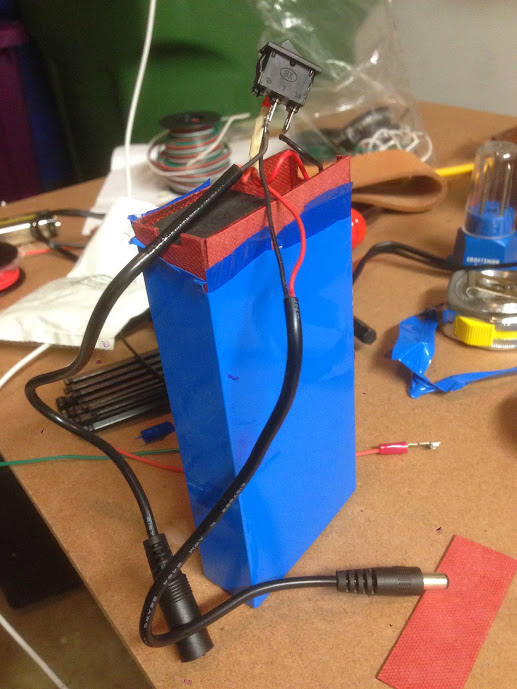
The GBFans Soundboard gets power only when the switch is in the ON position.
When the charger is plugged in, the green light on the charger is on (battery charging?), whether the switch is in the ON or OFF position
Something to note is that when I plug the charger adapter into the battery charge port, the adapter flashes quickly from green to red and back to green. Not sure what this means as I have seen different accounts on the lights in the adapter.
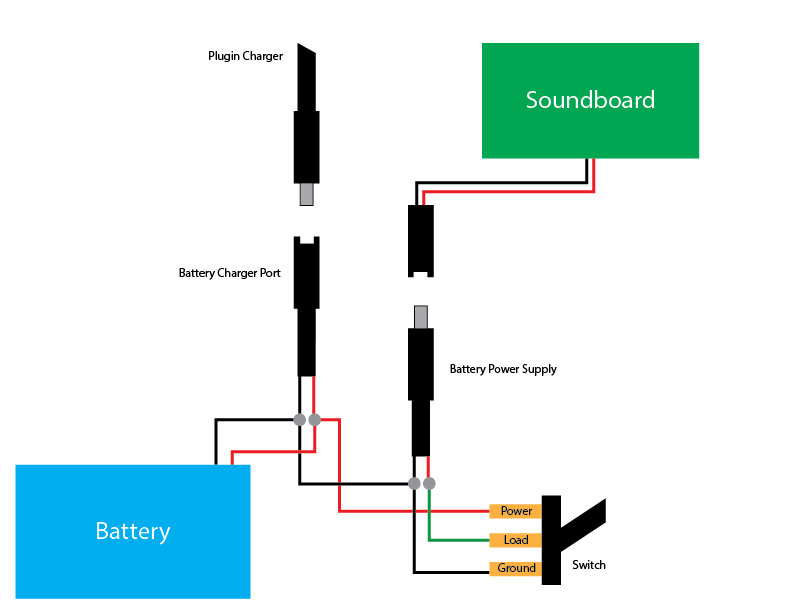
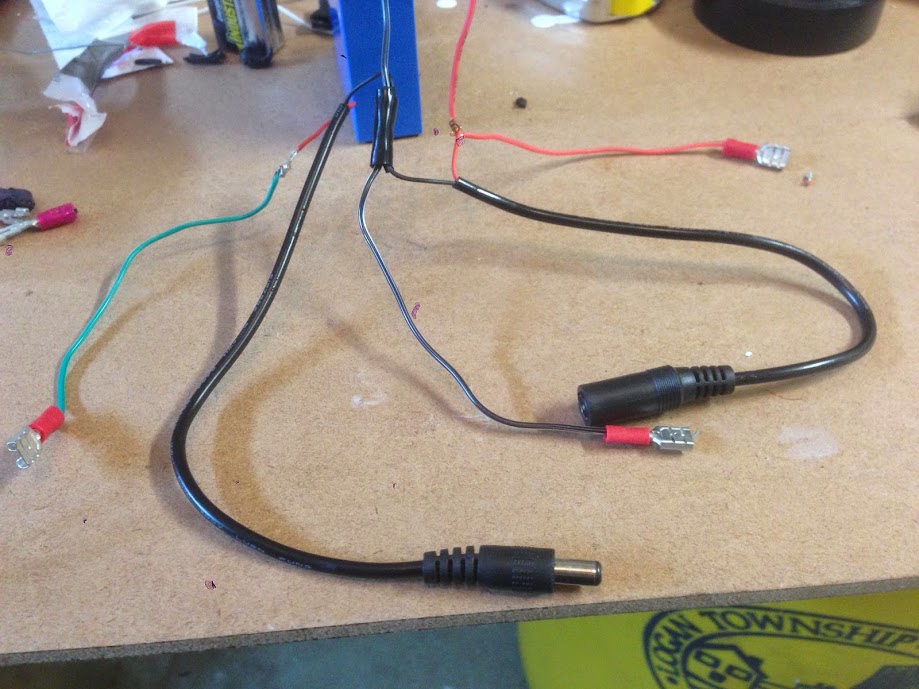
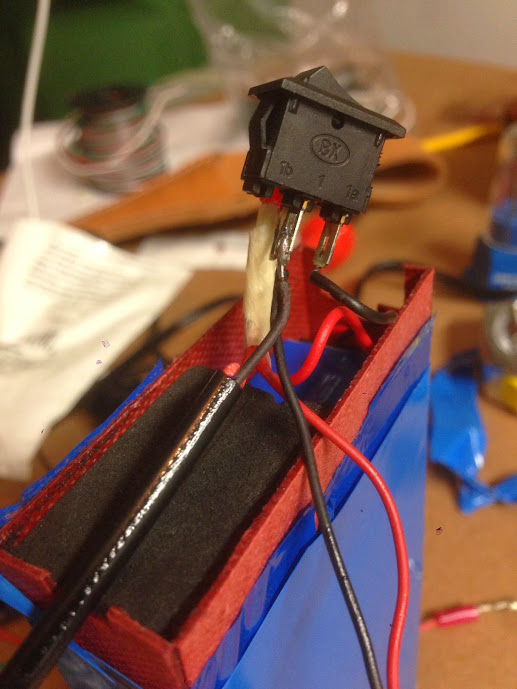
Originally I had the POSITIVE (red) wires for both the Battery Supply Port and Battery Charge Port both connected to the load terminal on my switch with my green connector, but when I did that, plugging in the charger for the battery gave power to the soundboard regardless of the switch’s position.
On the original switch there were only two terminals with everything except for the black battery wire essentially wired up to the load terminal.
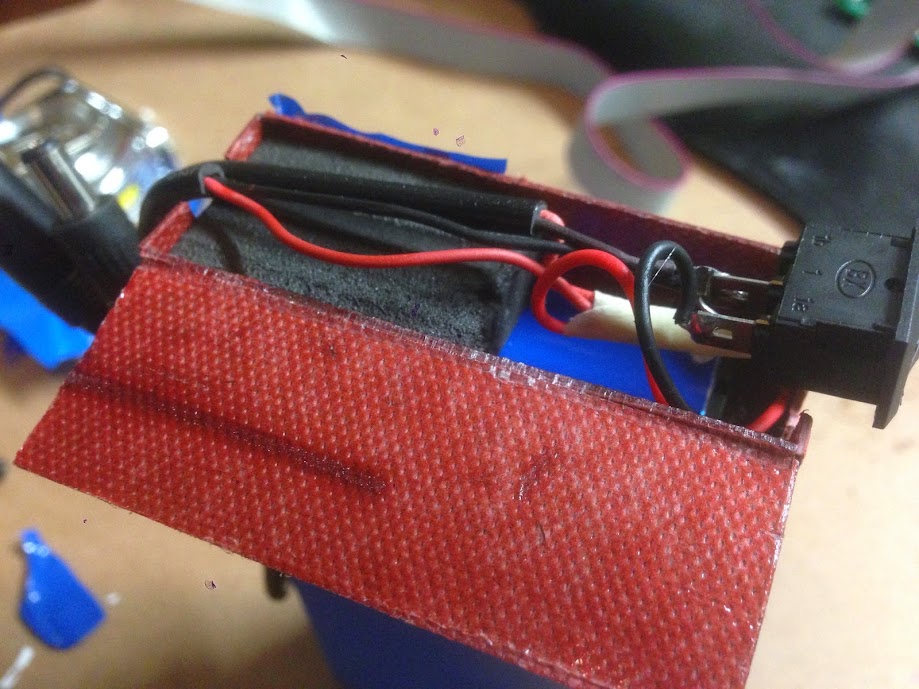
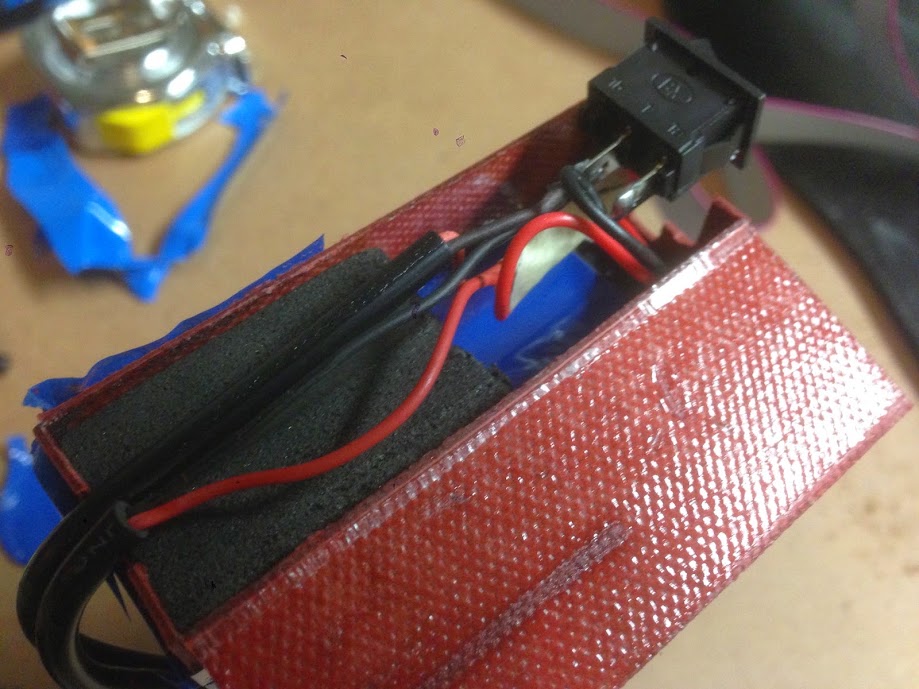
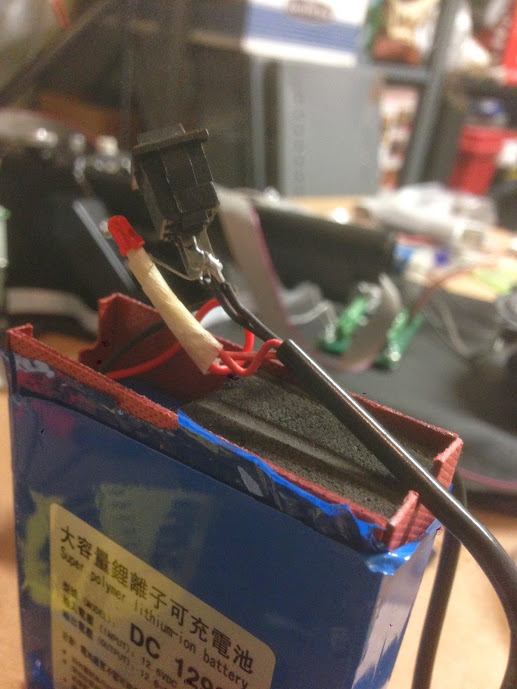
Here’s some other shots of the GBFans battery after I opened it
If I left it as it is, do you think that will have any adverse affects?
I never got a chance to try out the charger before I moved the switch so I’m not sure how to tell if the pack is actually charging. Will the adapter light turn red when it’s charging the battery or is it always green?
Appears this design has the soundboard input spliced into the battery plug. This would allow for a simultaneous wall charger input with the soundboard powered on. Not sure what the risk of doing that is but wouldn’t isolating the soundboard circuit with a DPDT be more desirable?
AJ I’m not sure about that. I just have the three terminals with no instructions from the packaging calling out anything specific about the LED. The labels I’ve used are what the package used. I’m basically treating what they call ground to be the all the black wires, the power to be the battery power which is spliced directly to the charging port. The load is only used to connect the positive of the supply port so the switch can interrupt supply to the sound board.
Bishop as long as I have the switched turned off, no power gets to the sound board. The charge port is directly connected to battery so I don’t need to have everything switched on to recharge.
Although a prong from my charger broke off so I can’t test that at the moment Time to shop for a new AC Adapter.
My point was, you may need to manually ensure you have switch off before connecting the recharge source. If connecting the recharge with the switch on does not damage the soundboard and allows for a recharge, then no biggie but I usually aim to make things more idiot proof because … well, I do lots of stupid things often.
The switch you referenced from RS is SPST so I assume that’s what you meant. Keeping in mind there is never just one way to accomplish something and I don’t have that blue brick battery… yes I think a DPDT would give you more options for the same click. It could be completely unnecessary too but I tend to favor those solutions.
This illustrates one method to isolate the charging port from the soundboard using a DPDT. In the first position, the blue brick supplies power to the soundboard. In the second position, the blue brick is connected only to the charging plug. If you want an “all off,” look for a DPDT that has a center off (the switch will have 3 positions, ON-OFF-ON)…
Thanks for the illustration Bishop, that’s very clear. I like the option as it lets me keep the soundboard off while powering but doesn’t force me to keep the charge port energized all the time. I might stop at RS and see if they have a nice three-way option to have the full off. And maybe a new charger too
 Time to shop for a new AC Adapter.