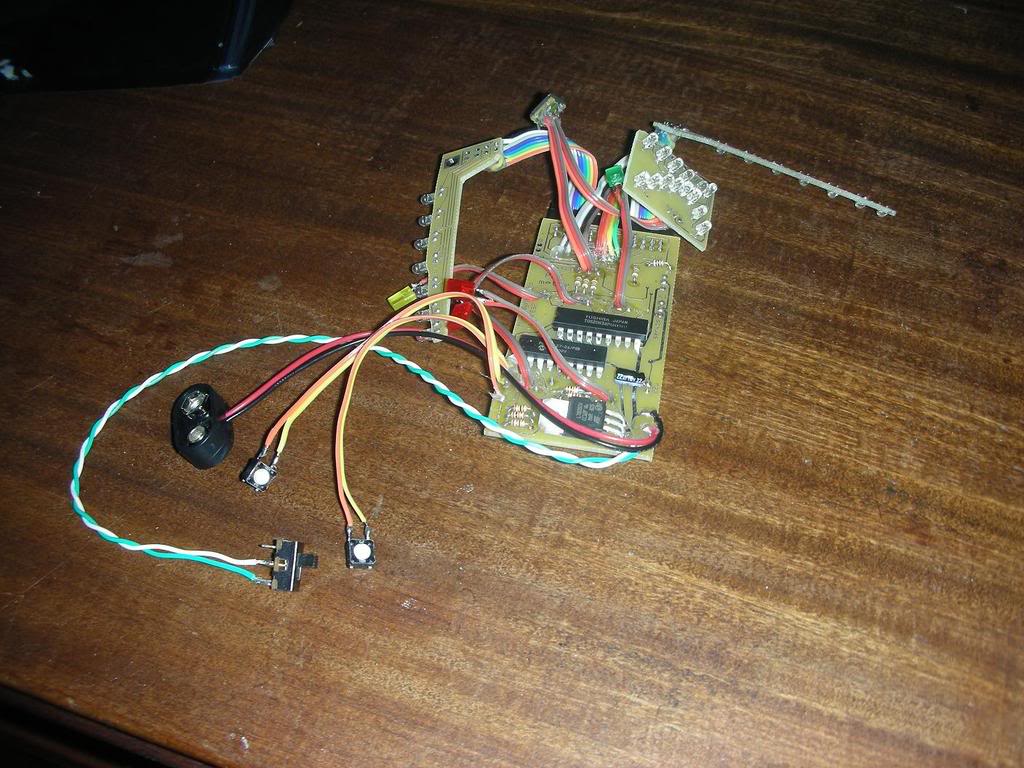
Just need help/info on the pubuttons which increase/decrease the speeed. as you can see in the pic I have 2 little push buttons. lloking at refrence pics they look very differnet :
-were actually bits of wire rather than a button. So you could use wire or maybe make something from resin that pushes down on the two ‘black box with a white circle’ buttons of Hyperdyne’s kit.
As I explained in the PM over at proptopia, I used styrene to fake the look of the two wires and just mounted them over the push buttons. It was the easiest solution to the problem with out going through the trouble of hunting down or creating galvanic switches like the original.
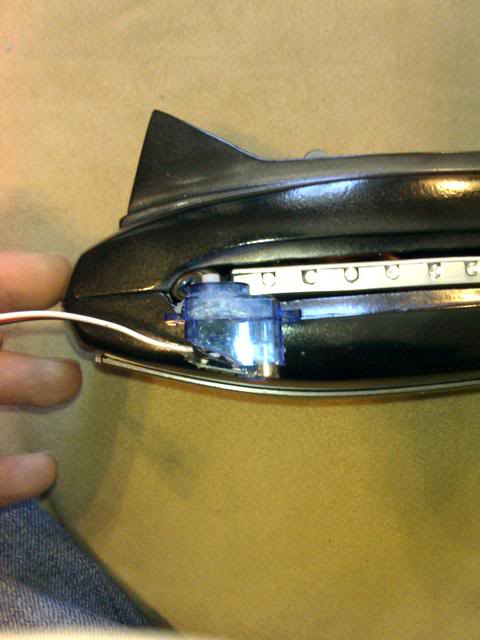
Well the servo’s that came with the kit are rather large and dont seem to fit in the shell without covering the whole of he wing hole, the shell has been sanded immensely down so there are just millimetres in thickness… but still the wings do not fit ontop of the servo’s and out of the hole.
Maybe theres something im not getting??? Or we spent 2 days doing it wrong!!
Any help with that servo question would be awesome.
I plead absolute ignorance on servos. I never got into RC cars or airplanes and don’t intend to
I know you need a micro servo and Jim at hyperdyne suggests a cirrus cs101 but my local store has different micro servos and it seems like they all have different specs that mean absolutely nothing to me. And going into a hobby store not knowing what you need with a PKE kit trying to explain what you are doing is pretty aggrivating. :walterpeck:
Also, here is a link too the servos I used. This is for a lot of 6, but a search for related items will yield a ton of results with any number you need.
I’ve had a hyperdyne kit for 2 years now… I’ve never gotten it to install properly…I gave up on it a year ago when I destroyed the servos trying to fit them. With the imminent release of the Video Game I’d like to get my PKE functioning sometime soon. I’ve purchased the Tower Pro Micro Server 9G after reading about them in this thread…but I’m having a Problem:
When I connect BOTH the servos to my Hyperdyne Kit, the lights on the arms and screen Freeze Up as well as the sound. The Surface lights still work properly but everything else just stops where it was at when I plug the servos in. If I turn the unit off and then back on, I just get a loud uninterrupted beep from the chirping chip.
Things maybe to take into Account:
Brand New Battery
These are NOT the Servos Hyperdyne included, they worked
My Screen Selector Switch had a glue mishap and it’s Permanent on the GB Style Screen
I Can SOMETIMES Feel The Servos Grinding but they’re not turning.
while this thread is kind of active, ive got a question too…
ive also got the hyperyne electronics, exactly like the ones pictured in the first post. my problem is that i bought a PKE body kit from GK over on proptopia, and his wings are made to house the lights without the boards attatched and just wired together.
is there anyone that can help me figure out if you can re-wire them yourself to switch from the board version to the straight wired version? or am i just out of luck and need to order some more wing lights from hyperdyne with this process already completed?
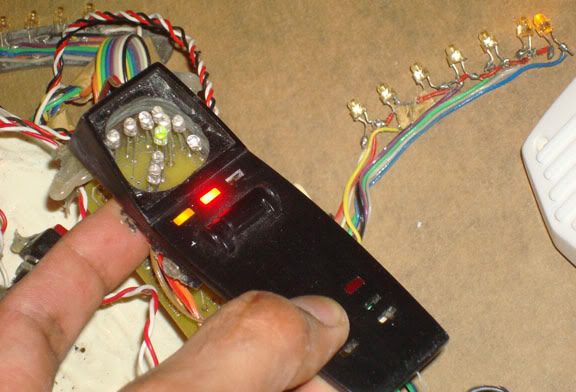
I hope GK doesnt mind me borrowing his pics to illustrate, but this is what i need to turn the wing lights into…
Well, it looks like you could just separate the LED’s from the board, then connect the leads to the corresponding wires. It looks like the resistors are built into the main board so you shouldn’t have to really do anything other than that.
I’ve finally got both a Hyperdyne and GK kit in my possession. I’ve noticed that most (if not all) replicas have push button switches instead of Pure Silver Wire. Is the Silver Wire Solution much more difficult or expensive than I though?
If you are referring to make it work on touch alone, then yes.. I think this is a bit more work than needed. You will need to create your own circuits to make it work. The functionality would not be the same was well since the Hyperdyne kit has you control the wings up and down with buttons… with the PKE you hold the left button, and the wings go up half way.. and you press the other button and they go up all the way.
Darn, thought it was much simpler than that. I figured I could Just solder it to the existing pos / neg wires and the touch action would be a property of just the wire itself.
Yeah, I was kinda thinking along the same lines. I don’t know much about electronics and wiring and all, but I thought that the one thing that a switch does is to make sure the circuit is closed; I reasoned that the wires (silver wire, right?) had to be two ends of a ‘bridge’ that needed to be closed, and that the finger/skin would in fact be that missing bridge. So that, in essence, it’s the combination of wires and finger that make up the ‘switch’.
Please enlighten me if I’m completely missing the point here… Well, I guess there are more complicated switches than that, and this might be one of them?
Nope, it isn’t that easy. It relies on your bodies own resistance to sense when you are touching it. If it worked the other way.. you would be able to short out a 9v battery by touching it for example.. the resistance of your finger is too great.
Here is the circuit:
You would need the 1 4011 CMOS (you can probably get both switches out of the one cmos), and a few resistors and capacitors. Then you would need to figure out the pulses.. not sure if you would want the capacitor at all.