3D Printed Nixie Shelf & Error Box (Gizmo Build)

Okay, the FIRST prop I ever built for any costume way back in the day was the belt gizmo. (LINK) WOW! Almost 5 years ago this month!

It was built from one of Nick-a-Tron’s amazing resin boards and it’s served me well but since Spongeface started doing his “real” PCB replicas I’ve been wanting to upgrade. I bought a board in his first run 2 years ago (also in September) and it’s been on my “to do” list since.

At the time I said I’d like to look at a better way to make the nixie-shelf than was currently available and that 3D printing could be an option but there was a problem:

  1. It was relatively new back then to print in 3D and therefore more expensive.

  2. I knew nothing about building 3D models (I’m a 2D CAD guy)

  3. I didn’t have any real details about the nixie shelf size etc. (I asked a couple of times for measurements, never got any firm information)

So… a few years on, I have taught myself (enough) 3D CAD, I’ve taken “best guess” measurements from photos of the real Sanyo board and this is what I’ve come up with:
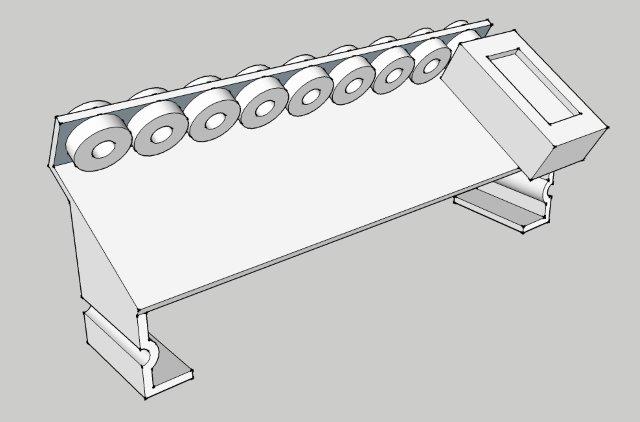
It’s alright I guess… then when I started researching printing in 3D I found out there’s more I could do, so I went back to the drawing board and came up with this:
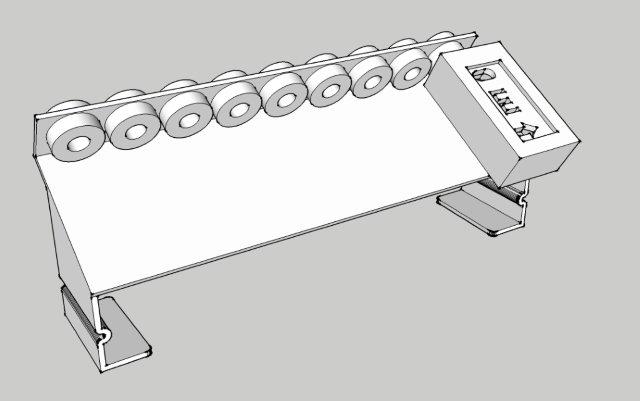
Added error box detail

Thinned out the legs/bracket

Offset the grommet thickness

Increased the “resolution” of the curves.

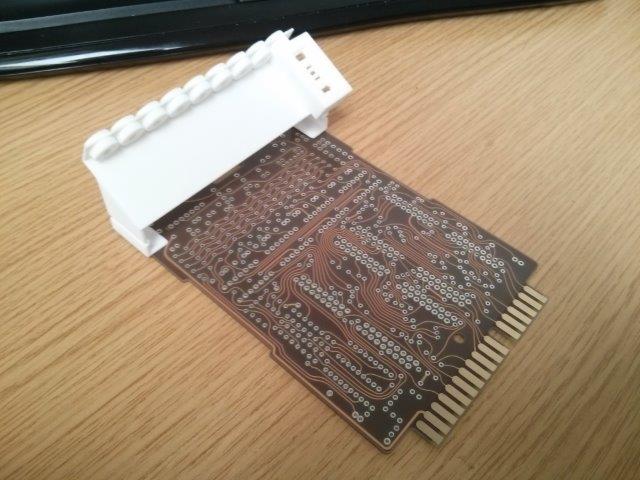
Okay, nobody wants to see sketches, so I went ahead and found a company to print it for me.

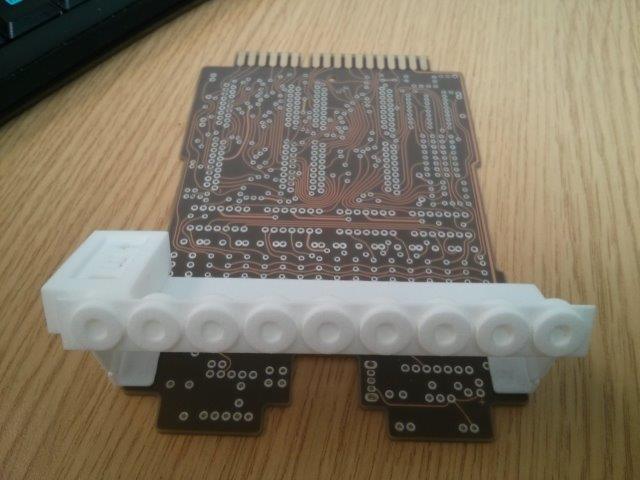
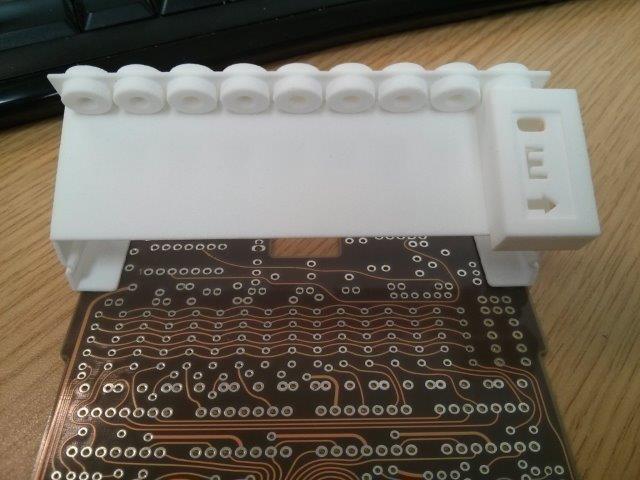
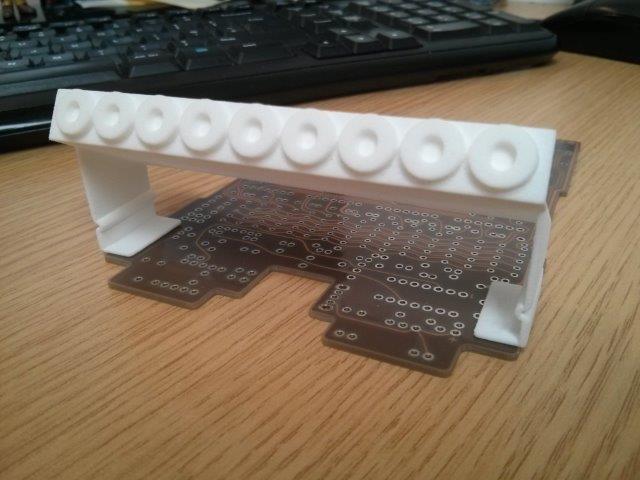
Voilà:
What’s next?

I’ll probably use this print on my Mk 2 Gizmo as it’s printed and I’ve paid for it already etc but if I were to do it again I’d probably make a few minor tweaks:

  1. Add the wire holes in the Error box so it’s ready to go!

  2. Tweak the 3 details on the Error box (I think the middle arm of the “E” is too wide)

  3. Add a support “rib” to the underside of the bracket to add strength

  4. Make the holes in the grommets pass all the way through

Also, the company I used to print it for me charge by “swept volume” so regardless of how much media is used, the price is the same if I pint within the volume of the bracket. What this means is that if I were to design and draw the plug for the end of the daughter board wire and add it to a spru on the underside of the bracket I could get that printed too at no extra charge.

Now all I have to do is start soldering on all the components to the motherboard, sheesh.

Nice…I like how clean that came out.

it sure does look clean!!, tyger will you be doing a run of these?

Great stuff! I’d love to see it painted and installed with the rest of the kit.

Thanks for the feedback guys!

Dunno. Maaaaaaaaaaaybe! :wink:

One or two people have asked me if I would, but like I said, I’d want to tweak the design a bit, maybe include the plug for the wire and if there’s space maybe even add add a print of that other black component with the 5 wires on it (Sanyo E172-Something). If I can fit them all in the swept volume there will be no difference in price!

That would be sweet!!!

Done a bit of tweaking to my design for the nixie-shelf and this is what I have at the moment!

image

image

image

image

The changes (in case you cant tell) are:

  1. Increased the error box width and reduced the length (checked reference pics, my original was way too narrow and long!

  2. Added a curved top edge to the support legs

  3. Added a strengthening rib to the underside of the bracket

  4. Included my best guess at what the wire-plug was like on the original prop (reference pics are such poor quality)

  5. Increased the number of sides on the curved surfaces

  6. “Grommet” holes now pass all the way through the bracket

  7. Corrected the “E” on the error box (made the middle bit too wide on previous)

I think I’m going to add location pegs and fixing holes to suit spongeface’s gizmo board, if I offer these up for sale then the pegs could be cut off with a craft-knife if you don’t want them!

The 1mm thick “legs” feel quite flimsy in hand but when it’s fixed down to the board it doesn’t feel that bad. If I bulked them up they wouldn’t look right. I’d rather have the thing looking right than be over-sized! Also the material is really flexible, you’d have to hit it pretty hard to snap it!

I’ve also started soldering on the components to spongeface’s board so that’s coming together slowly now too, no rush though as I will need to get another shelf printed before I can finish it!

Are you going to put the slots in the error box for the red wires?

Slots? You mean the holes on the side? I thought about adding them but wasn’t sure of the locations (or if there were 5 or 6 wires)…

From Doug’s kit, he as 3 slots that fit 6 wires. 2 in each slot.

Ahhhhh, I found the picture in his thread, yeah… I can add those to my model without much fuss so I’ll get on that tomorrow along with adding the location holes/pegs.

Thanks for the heads up! :wink:

Gonna sketch-up the “pillow” component too, like I said, it doesn’t matter how many items I print so long as the swept volume the same the price is the same so I might as well! :smiley:

How’s that look?

Having difficulty making the “pillow” component in Sketchup, doesnt like doing rounded corners without a plugin so will look in to that later when I have sound and can watch a tutorial video! (At work now… no audio!)

imageimage

Looks good! That will help with those red wires.

3D shelf model sent to the printer as I taught myself how to render smooth corners on sketchup! (Needed a couple of plugins… whoda-thunk it?!) so I’ve included the plug and pillow components and the price has remained the same due to the whole “swept volume” method of pricing.

Now all I gotta do is wait 8-10 days for the print to arrive. Could have had it in 2-4 if I paid DOUBLE but I’ve got a lot of soldering to do so there’s no rush!

Having difficulty with doug’s kit due to the length of the pins and not being able to slide the little plastic holder off them once they are soldered in place (the final set clashes with ones on the other side) so I’ll have to get creative with the snips… but when I get back to it I’ll take pics and turn this thread in to my MK2 Gizmo Build Thread!

Oh, I did render out a little fly-around of my 3D model for anyone who’s interested?

That’s what I did with the gold pins. It’s a pain but in the end it looks great!

Great work! these files are public? I can download it anywhere

This is excellent. Did you post the files anywhere?

No, I didn’t post the files, not even sure I still have them it was before the great (computer) crash of 2015 in the Cheex house!

Sorry!